
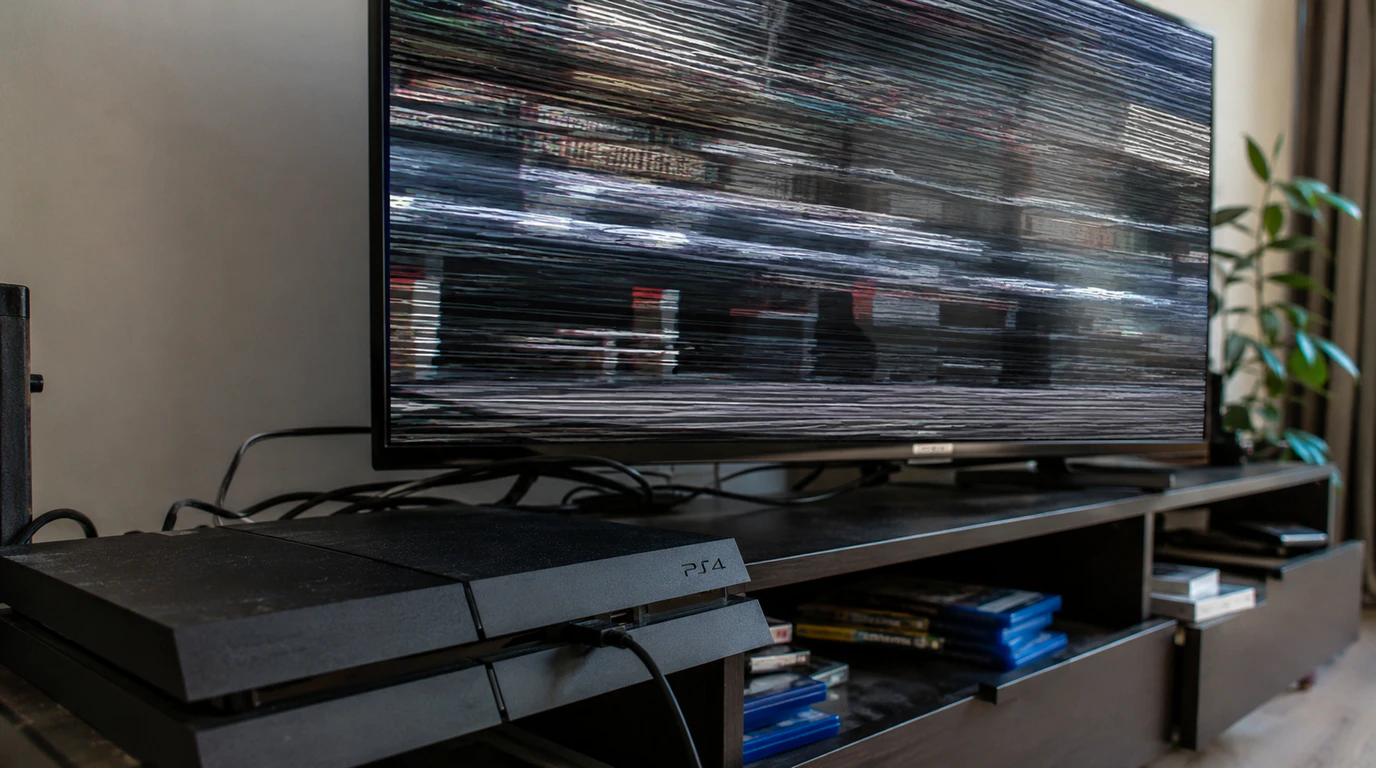
PS4 screen flickering is caused by one of three things: a failing or loose HDMI cable, an HDCP handshake mismatch with your TV, or a worn HDMI port on the console itself. Swapping the cable and toggling HDCP off in Settings > System fixes the problem in most cases screendotfix.com sees. If the flicker follows the HDMI port when you wiggle the cable, you’re looking at a $50 to $150 port repair instead of a settings fix.
The One Test That Tells You Where the Problem Actually Is
Plug your PS4’s HDMI cable into a different device: a laptop, a Blu-ray player, another console, anything with an HDMI output and connect it to the same TV and port.
If the flicker follows the PS4 to the new setup, the console or its cable is the problem. If the TV flickers with the other device too, the TV or the port on the TV is at fault, and no amount of PS4 troubleshooting will fix it. This single swap saves you from spending an hour in PS4 settings menus when the real fault is three feet away on the television.
Skip this step and you’ll end up chasing a software fix for a hardware problem, which is the single biggest time-waster we see reported in PS4 support threads.
Why Does My PS4 Screen Keep Flickering?
The three most common causes, in the order we see them at screendotfix.com, are a degraded HDMI cable, an HDCP protocol mismatch between the console and a 4K TV, and physical wear inside the PS4’s HDMI port from repeated cable insertion.
A degraded HDMI cable causes intermittent flicker because the signal drops out for a fraction of a second whenever a bent or worn pin loses contact, which is why wiggling the cable near the console often makes the flicker worse or better on command.
An HDCP mismatch happens because the PS4 encrypts its video output by default to prevent piracy, and if your TV, HDMI cable, or any device in between a soundbar, an AV receiver, a switch doesn’t fully support the HDCP version the PS4 is trying to use, the picture drops out and reconnects in a loop instead of displaying cleanly.
Port wear is a hardware issue specific to the original PS4 and PS4 Slim, where the HDMI port is soldered directly to the motherboard, and repeated plugging and unplugging over years of use loosens that solder joint until the connection becomes intermittent.
Is It My PS4, My TV, or the HDMI Cable?
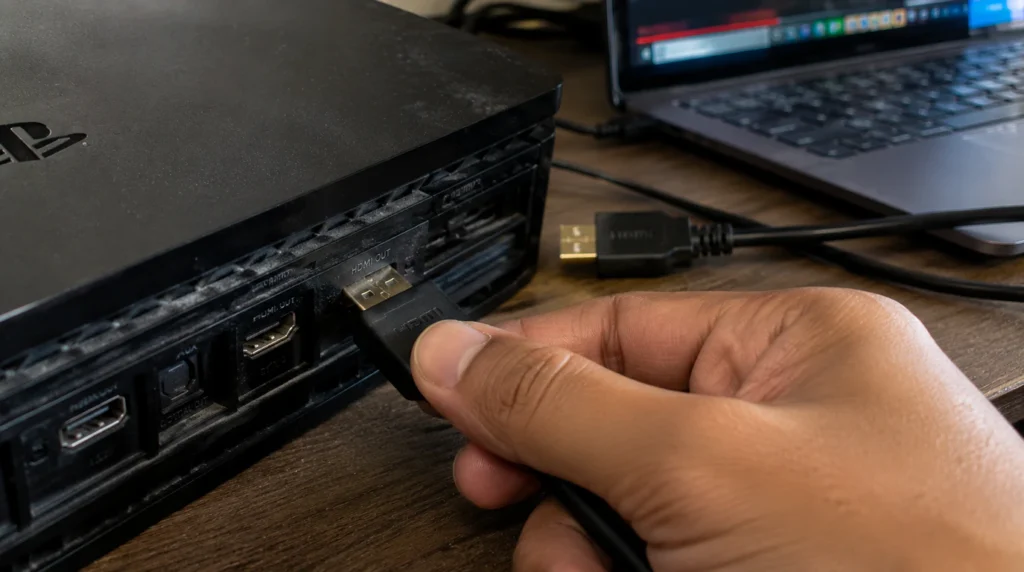
Run through these in order each one rules out a cause before you move to the next.
- Swap the HDMI cable first. Use a cable you know works with another device. A cable failure is the single most common cause of intermittent PS4 flicker and costs nothing to rule out.
- Try a different HDMI port on the TV. TVs commonly have three or four HDMI inputs, and one going bad doesn’t mean the others are affected.
- Remove anything between the PS4 and the TV. Unplug the PS4 directly into the television, bypassing any soundbar, AV receiver, or HDMI switch, since each extra device is another point where an HDCP handshake can fail.
- Test the PS4 on a second TV or monitor. If the flicker disappears on a different screen, the fault is with your original TV, not the console.
- Wiggle the cable at the PS4’s port while the picture is live. If the image cuts out or flickers the moment you apply gentle pressure, the HDMI port itself has come loose from the motherboard.
Why Does the Flickering Only Happen With 4K or HDR Turned On?
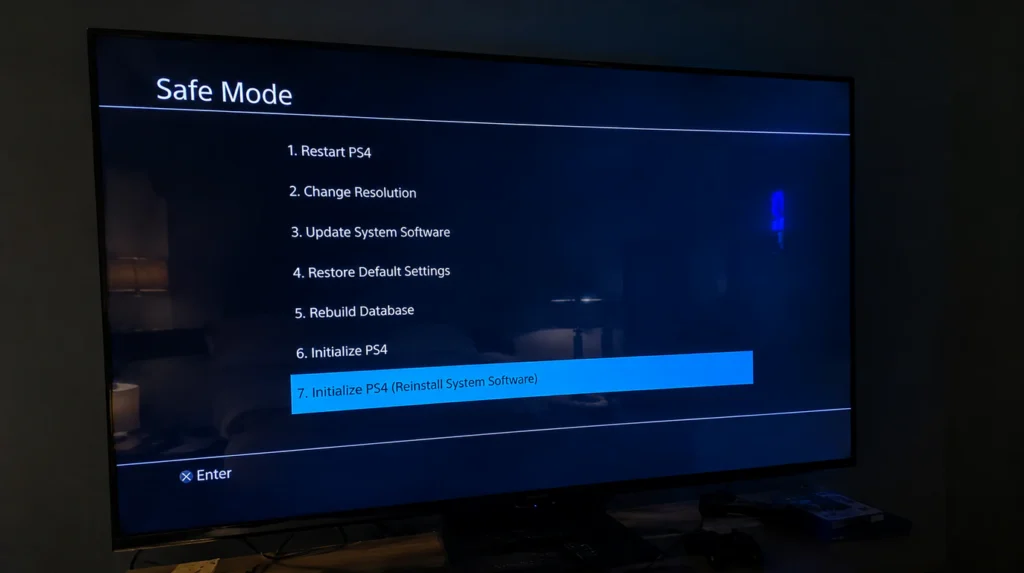
This points specifically to an HDCP version mismatch, not a cable or port fault. The PS4 Pro tries to output using HDCP 2.2 for 4K and HDR content, and if your TV or HDMI cable only supports HDCP 1.4, the console repeatedly renegotiates the handshake and the screen flickers or drops out during that renegotiation.
Sony’s own troubleshooting for this exact symptom on PS4 Pro is to force the console down to the older HDCP standard. Go into Safe Mode by holding the power button until you hear the second beep, then select the option to change the HDCP mode and set it to HDCP 1.4 only. This trades 4K resolution for a stable, flicker-free picture, and it’s the correct trade-off if your TV doesn’t fully support 2.2 anyway.
If you’re not on 4K or HDR content at all and still seeing flicker, you can also try disabling HDCP outright under Settings > System > Enable HDCP, though this will block DRM-protected apps like Netflix and Blu-ray playback until you turn it back on.
Why Does My PS4 Screen Flicker Only When Waking From Rest Mode?
This is a handshake-on-wake issue, not a hardware fault, and it happens because your TV drops the PS4 from its list of active HDMI sources while the console is asleep. When the PS4 wakes up, the TV has to rediscover it as a new device, and that rediscovery process is what causes the flicker or the brief “no signal” flash before the picture stabilizes.
A full shutdown instead of Rest Mode avoids this entirely. Go to Settings > Power Save Settings > Enter Rest Mode, or hold the power button for two full beeps for a complete shutdown rather than standby. If you rely on Rest Mode for downloads, try connecting the PS4 to a different HDMI input on the TV. Some TV models handle source rediscovery more cleanly on certain ports than others.
Can Cleaning or Compressed Air Make PS4 Screen Flickering Worse?
Yes, if you use liquid contact cleaner or spray compressed air directly into the HDMI port at an angle, you can bend the internal pins, which turns an intermittent flicker into a permanent one. Canned air is safe for clearing dust from the port opening as long as you hold the can upright and spray from a few inches away, in short bursts, without inserting the nozzle into the port itself.
Is It Worth Repairing a Worn PS4 HDMI Port Myself?
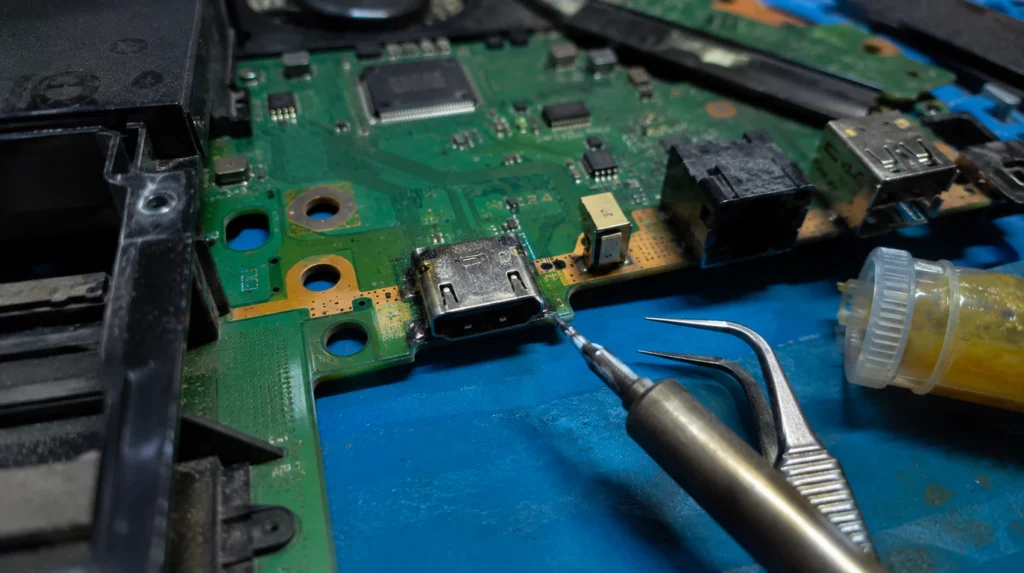
Only if you’re already comfortable with fine soldering work, because the HDMI port on a PS4 and PS4 Slim is surface-mounted directly to the motherboard with roughly a dozen tiny solder points, and reflowing or replacing it without the right iron tip and flux usually damages the board.
The replacement port itself typically costs $10 to $15, so the expense of a professional repair is almost entirely labor. Independent repair shops in the US generally charge $50 to $99 for a full HDMI port replacement including the part, while going through Sony directly tends to run closer to $150. In the UK, expect roughly £40 to £90 from an independent repair shop.
PS4 Screen Flickering: Cause, Fix, and Cost at a Glance
| Cause | Likely If… | Fix | Typical Cost |
| Worn or damaged HDMI cable | Flicker changes when you move or bend the cable | Replace with a known-working HDMI 2.0 cable | $6–$15 |
| HDCP 2.2 mismatch on 4K/HDR | Only happens in 4K or HDR mode, fine at 1080p | Set HDCP mode to 1.4 in Safe Mode, or disable HDCP | Free |
| TV port or TV-side fault | Flicker follows the TV, not the PS4, in the swap test | Try another TV HDMI port or a different TV | Free–$30 (new cable) |
| Rest Mode handshake drop | Only happens right after waking from standby | Use full shutdown instead of Rest Mode | Free |
| Worn PS4 HDMI port (motherboard-soldered) | Flicker responds to wiggling the cable at the console | Professional HDMI port replacement | $50–$150 |
When Is It Time to Stop Repairing and Replace the PS4?
If the HDMI port has already been replaced once and the flicker returns, or if the console is also showing unrelated symptoms like random shutdowns or a failing power supply, a $50 to $150 repair on a console that’s several years old and worth less than $100 on the resale market usually isn’t the smarter move. At that point, screendotfix.com generally recommends putting that repair budget toward a PS5 or a refurbished PS4 with a full warranty instead.
If your flickering issue has already progressed to visible lines or color banding across the picture rather than a clean on-off flicker, that’s a different fault pattern our guide on red lines on a PC screen and their real cause covers how to tell a cable-level fault apart from a dying GPU or panel, and the same diagnostic logic applies to a console output.
And if the flicker only shows up inside a specific app rather than across the whole PS4 interface, say, the picture stutters just while you’re in the YouTube app, that’s an app rendering issue rather than a display or cable fault, closer to what we cover in fixing the YouTube white screen error.
Frequently Asked Questions
Why is my PS4 screen flickering black and then coming back?
A PS4 screen that flickers black and then returns is almost always an HDMI signal drop, caused by a loose cable connection, a bad port on the TV, or an HDCP handshake failure not a dying display panel, since the PS4 itself has no screen to fail.
Can a software update fix PS4 screen flickering?
A software update can fix flickering when the cause is a known firmware bug, such as the Rest Mode wake issue Sony patched in past system updates, but it won’t fix a worn HDMI port or a failing cable, since those are physical faults no update can repair.
Does PS4 screen flickering mean the console is dying?
No, in the large majority of cases we see flickering traces back to the cable or the TV rather than a failing console, and even when the HDMI port itself is worn, the rest of the PS4’s hardware is usually unaffected and fine to keep using after a port repair.
Why does my PS4 only flicker on one specific HDMI port on my TV?
A single misbehaving HDMI port on the TV usually points to a fault in that port’s internal connector, not the PS4 or the cable, especially if other devices flicker on that same port but work fine on the TV’s remaining HDMI inputs.
The Bottom Line
Start with the swap test, not the settings menu plugging the PS4’s cable into another device tells you in under two minutes whether you’re dealing with the console, the cable, or the TV. From there, an HDCP mode change or a fresh cable resolves the overwhelming majority of PS4 flickering cases without spending a cent. If wiggling the cable at the console is what triggers the flicker, you’re looking at a genuine port repair, and at that point it’s worth weighing the $50 to $150 cost against what the console itself is currently worth before booking it in.
James, founder of screendotfix.com, has spent years diagnosing display and HDMI hardware faults across consoles, laptops, and monitors, and built this guide from that repair experience combined with current PS4 troubleshooting data.