
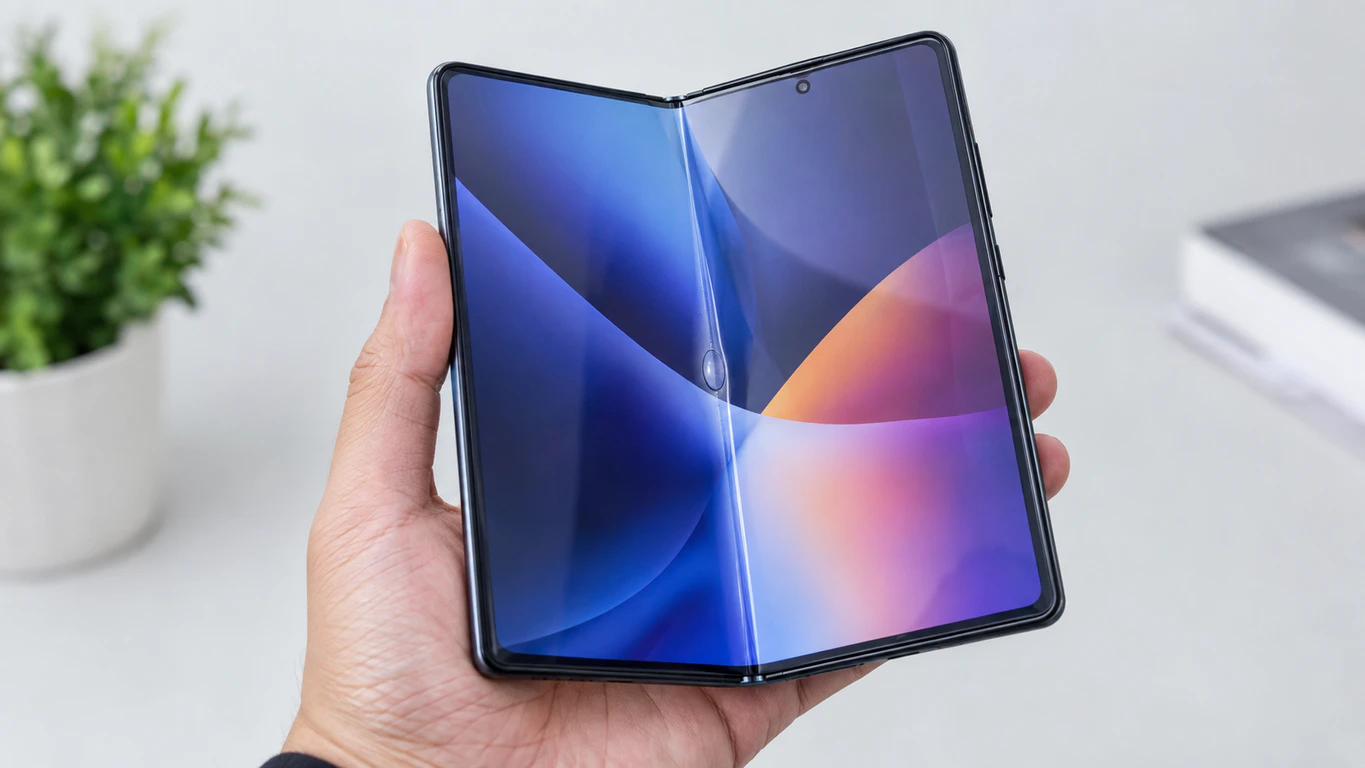
A bubble sitting right at the crease of a foldable phone is trapped air working loose from the factory-installed protector after repeated fold cycles. It is not a sign your display is dying. What actually fixes it, though, depends almost entirely on which foldable you own — because Samsung, Google, and Motorola each treat this problem very differently, and screendotfix.com has pulled together the current policy for all three so you’re not stuck guessing which support line to call.
Why the Crease Bubbles First and Nowhere Else
A flat phone’s screen protector sits still for the life of the device. A foldable’s inner protector gets stretched and compressed at one exact line, thousands of times, every single day it’s used.
Samsung, Google, and Motorola all use a thin TPU film (thermoplastic polyurethane, a flexible plastic that survives folding better than glass) as the inner protective layer on their foldables. The adhesive underneath that film is built to survive folding, not to stay perfectly sealed forever at one stress point. Eventually, usually somewhere between month six and month eighteen of regular use, that adhesive starts giving up right at the hinge line, and air works its way in.
Three things speed this up. A speck of dust or grit under the film before it lifts creates a pressure point every time you fold the phone shut. Sustained heat above roughly 40°C, from gaming or fast charging, softens the adhesive and accelerates lifting that had already started. Cold weather does the opposite: it stiffens the TPU slightly, which can make an existing bubble more likely to crack or split rather than stay smooth.
Check This Before Doing Anything Else
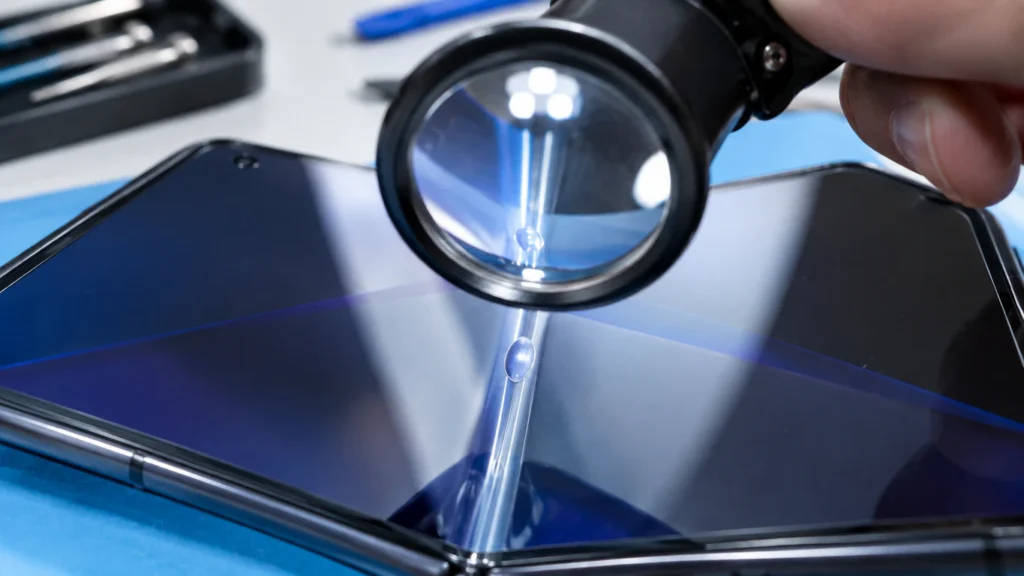
Open your phone flat and look at the crease under a bright light, not your screen’s own glow. Two things matter here, not the protector’s size or shape.
First, is the bubble affecting how the screen responds to touch. If typing or swiping feels normal directly over the bubble, this is still purely cosmetic. Second, look underneath the bubble itself for a faint white or gray line on the actual panel, not the film. That line means the crease has moved past a protector problem into an actual display issue, and no protector swap will fix it. If you see that line, skip ahead to the panel-damage section below before you spend money on a replacement kit.
Most people searching for this are dealing with a cosmetic bubble and full touch response. That group has real options, and they vary a lot by brand.
If You Have a Samsung Galaxy Z Fold or Z Flip
Samsung has the most mature replacement process of the three major foldable makers, and it’s the same across the Z Fold 6, Z Fold 7, Z Flip 6, and Z Flip 7.
Most authorized Samsung service centers replace the inner protector free during the first year of ownership, then charge roughly $20 USD (around £16 GBP) after that, with the visit typically taking about ten minutes. Samsung Care+ extends this further. On the newest Z Fold 7 and Z Flip 7, Care+ runs about $13 a month or $259 a year for the Fold, and around $10 a month or $169 a year for the Flip, and it covers accidental screen damage on top of protector wear.
That coverage matters more than it used to. Genuine parts pricing reported by EU parts suppliers puts a full Z Fold 7 inner panel replacement at roughly $890, and the Z Flip 7’s inner panel at close to $400 out of pocket. A $20 protector swap looks a lot more appealing next to those numbers.
Technician’s note: book an in-person appointment rather than mail-in service if you can. In-store techs catch adhesive misalignment on the spot, so you don’t get the phone back with the same bubble two weeks later. For current booking options and service fees in your region, Samsung’s official service page lists in-store and mail-in choices for the Galaxy Z series.
If You Have a Google Pixel Fold or Pixel 9 Pro Fold
This is where things get genuinely different, and it’s worth knowing before you try anything.
Google’s own safety documentation for the Pixel Fold is explicit: do not remove or peel back the pre-installed screen protector, and do not apply a third-party one over it. That’s not just a suggestion, because Google’s Preferred Care protection plan does not cover repairs to the inner fold screen on the Pixel Fold or the Pixel 9 Pro Fold at all. Outer screen cracks on the standard Pixel Fold carry a $29 walk-in repair fee, but a bubbling or damaged inner protector on either Fold model has no official paid repair path through Google at this time.
In practice, that means most Pixel Fold owners are stuck monitoring a bubble rather than fixing it, unless a third-party repair shop is willing to attempt a swap outside of warranty (which itself can void remaining coverage). Google’s device safety and handling guide is worth reading directly if you’re deciding whether to risk a DIY attempt, since it spells out exactly what voids coverage on a flexible display.
If your bubble is on the Pixel Fold’s small outer screen rather than the inner one, that’s a separate, cheaper repair category, and the $29 walk-in fee typically applies there instead.
If You Have a Motorola Razr
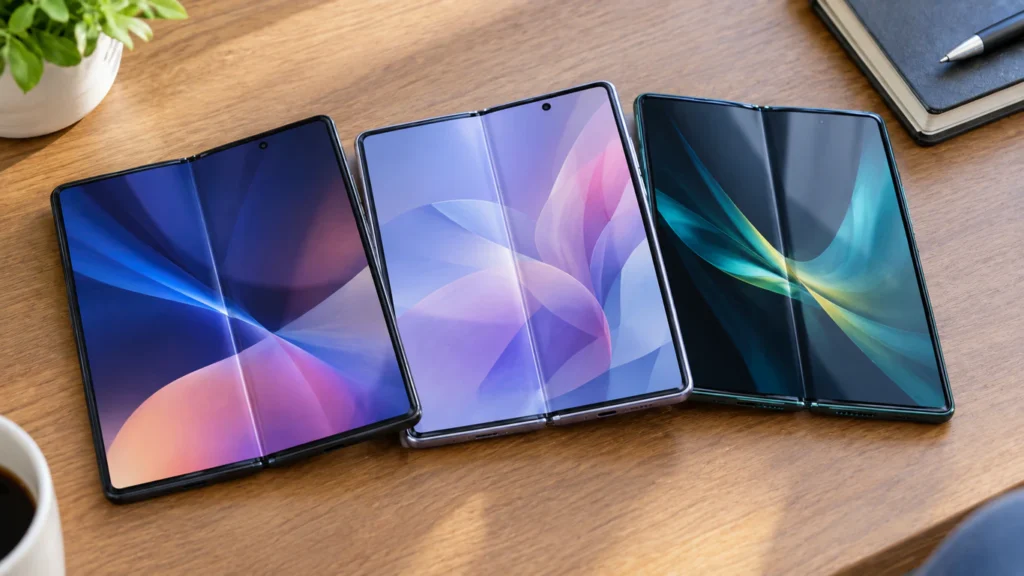
Motorola’s foldable line has a longer, messier history with this exact issue than either Samsung or Google. When the original Razr foldable launched, reviewers publicly documented the inner laminate detaching along the crease within a week of normal use, and Motorola issued a statement addressing it at the time. That history hasn’t fully gone away.
Current Razr and Razr+ owners commonly report bubbling right at what they describe as the phone’s “pinch point,” the exact center of the fold, and a recurring complaint is that authorized carrier stores don’t stock the replacement part and redirect customers straight to Motorola support instead. If that happens to you, go directly through Motorola’s own device support channel rather than a carrier store, since carrier locations frequently don’t carry Razr-specific protector stock.
Third-party replacement kits exist for the Razr and Razr+, but user reports describe the perforated backing on some kits tearing during removal, so budget for the possibility of ordering a second kit if your first one doesn’t peel cleanly.
If You’re on a Foldable Laptop
James here since screendotfix.com covers laptop and Mac displays as much as phones, it’s worth a quick note if you’re seeing something similar on a foldable laptop like the ASUS Zenbook 17 Fold OLED or a Lenovo ThinkPad X1 Fold.
These use a PI film (polyimide, a thin flexible plastic layer bonded directly onto the OLED panel during manufacturing) instead of a separate, replaceable protector. That’s a real distinction: on a phone, you’re dealing with an add-on film. On a foldable laptop, the protective layer is effectively part of the display assembly itself, so a bubble or lifting film at the crease is closer to a manufacturing or panel issue than a simple accessory swap, and it belongs in front of the manufacturer’s own service center rather than a DIY kit. If you spot a stray colored dot near that crease as well, it’s worth reading separately, since that’s a distinct fault from bubbling film our green dots on laptops guide walks through what that specific symptom means.
The DIY Route: When It’s Actually Worth Trying
Third-party TPU replacement kits for Samsung and Motorola foldables typically run $15 to $35 USD (roughly £12 to £28 GBP) and take 20 to 40 minutes to install. They are not available for the Pixel Fold, since Google’s terms explicitly discourage a third-party inner protector.
The part that trips up almost everyone isn’t the alignment step, it’s clearing trapped air during install. The foldable panel underneath flexes under squeegee pressure in a way a flat glass screen never does, so air is almost nowhere safe to escape once you’ve laid the film down. Clean the display first with the alcohol wipe most kits include, use the plastic alignment frame rather than going freehand, and push air toward the nearest open edge with the flat squeegee edge, never a fingertip. A fingertip concentrates pressure into one spot and just relocates the bubble somewhere worse.
DIY makes sense if you’re comfortable working slowly and your phone is out of warranty anyway. If you’re still under manufacturer coverage, get the official replacement first and save the DIY kit for next time.
Mistakes That Make the Bubble Worse
- Pressing the bubble flat with a finger, which pushes the trapped air to the next weak point in the adhesive instead of sealing it
- Folding the phone shut with a stray earbud, coin, or grain of sand still resting on the crease
- Using a generic clip-on case that puts a hard edge directly over the fold line when closed
- Gaming or fast-charging for long stretches without letting the device cool, which softens adhesive right where it’s already stressed
- Peeling the old protector off with a fingernail before a replacement arrives, which risks scratching the panel underneath
Preventing It From Coming Back
- Wipe the crease with a dry microfiber cloth once a week, not only when you notice visible dust
- Avoid closing the phone with anything resting between the two halves, even briefly
- Choose a case built specifically for your foldable model rather than a universal clip-on design
- Let the device cool before extended gaming sessions if it tends to run warm during use
- Get a bubbling protector swapped at the first sign of it rather than waiting for it to spread
When the Bubble Isn’t the Real Problem Anymore
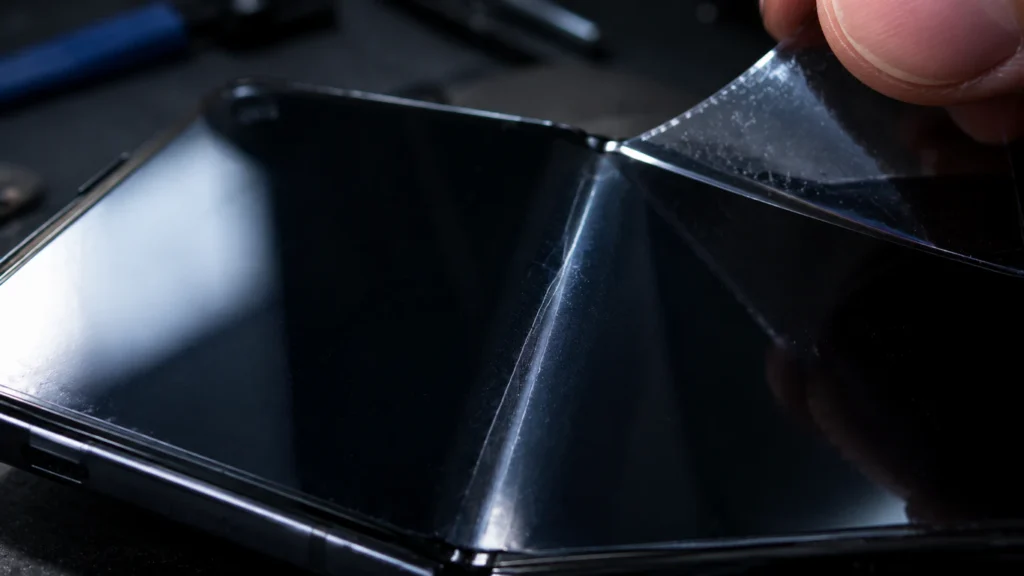
If you spotted that white or gray line underneath the bubble during your earlier check, the film isn’t the issue anymore. That’s a stress line forming on the OLED panel itself, usually from the phone being folded flat against something rigid, like a wallet or a phone case clip, hundreds of times over.
At that point you’re looking at a display repair quote, not a protector swap. Based on current parts pricing across brands, that typically starts around $400 for a Z Flip-class inner panel and can run past $800 to $900 for a Z Fold or Pixel 9 Pro Fold-class panel, before labor. Check warranty and Care+ or Preferred Care status before paying out of pocket, since panel-level defects appearing within the first year are sometimes treated as manufacturing claims rather than accidental damage.
Frequently Asked Questions
Can I use my foldable without a screen protector on the inner display?
Technically yes, but every foldable manufacturer includes this layer specifically to protect the flexible panel from scratches during folding, and running without it on most models increases scratch risk within weeks. On the Pixel Fold specifically, Google’s own guidance treats the factory protector as a permanent part of the display, not an optional accessory.
How much does it cost to fix a bubbling foldable screen protector?
Cost depends entirely on brand: Samsung charges around $20 out of warranty, third-party kits for Samsung and Motorola run $15 to $35, and Google currently offers no official inner-protector repair path for the Pixel Fold at any price.
Is a bubbling screen protector covered by phone insurance?
Extended plans like Samsung Care+ typically include protector replacement as part of broader accidental damage coverage, though exact terms vary by country and plan tier. Google’s Preferred Care specifically excludes inner Fold screen repairs regardless of plan level, so check your specific plan’s device coverage before assuming it’s included.
Why does my Galaxy Z Fold screen protector keep bubbling again after replacement?
This usually means an underlying habit is causing it, not a bad protector. Folding the phone with debris on the crease, using a case with a hard edge over the fold line, or heavy daily fold counts are the three most common repeat causes.
The Bottom Line
A bubbling foldable screen protector is a mechanical wear problem, and which fix makes sense depends on your phone maker more than almost anything else about the device. Samsung owners have the clearest, cheapest path back to a flat protector. Motorola owners need to go straight to the manufacturer rather than a carrier store. Pixel Fold owners, for now, are mostly stuck monitoring the bubble, since Google hasn’t built an official repair path for it yet. Check where you land on that list before you spend money on a kit that might not even apply to your device.
Disclaimer: This guide is for general informational purposes. Attempting to remove or replace a foldable screen protector yourself carries a risk of scratching the panel underneath and may affect your device’s warranty status. Confirm your specific coverage with your manufacturer before opening or modifying your device.
Editor’s Note: Pricing and policy details in this guide were checked against current Samsung, Google, and Motorola support documentation, along with recent owner reports from device support forums, as of September 2026. Costs are reported in USD and GBP and may shift by region or over time.
Author Note: Written by James, founder of screendotfix.com, who’s spent years pulling apart and testing display fixes across foldable, flagship, and budget devices from every major maker.
Article Summary: A bubbling foldable screen protector comes from repeated fold-cycle stress on the adhesive, not display failure. Samsung offers the most affordable official fix, Motorola requires going direct to the manufacturer rather than a carrier store, and Google currently has no official repair path for a Pixel Fold’s inner protector. A white or gray line under the bubble means the panel itself is stressed, not just the film, and calls for a display repair quote instead.