
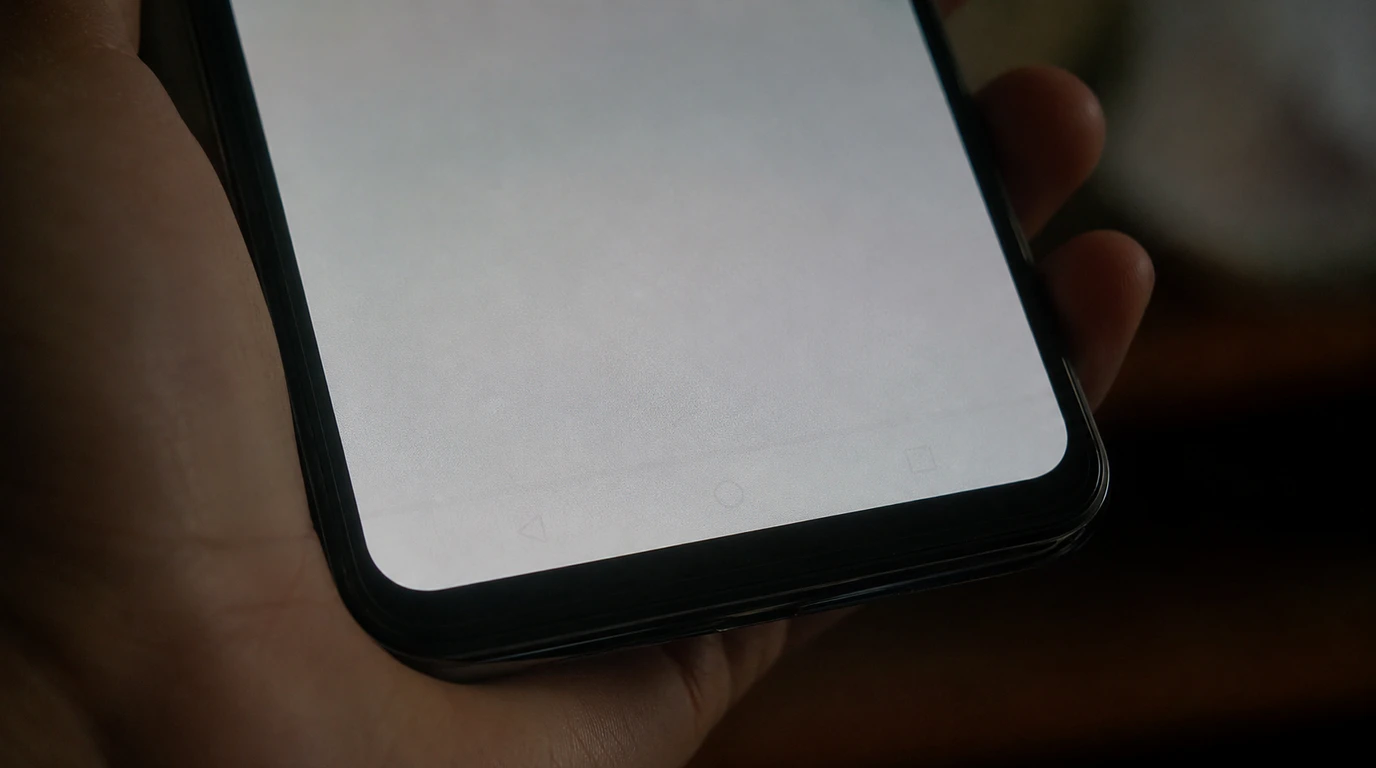
Google Pixel screen burn-in cannot be undone with software once it’s permanent, but you can confirm it in under a minute, slow it down significantly with a few display settings, and get a genuine OLED replacement for roughly $150 to $340 in parts depending on the model. At screendotfix.com, I’ve pulled apart enough Pixel displays to say this plainly: most people who think they have burn-in are actually looking at temporary image retention, which clears on its own within a few hours.
Try This Before You Panic: The 60-Second Burn-In Test
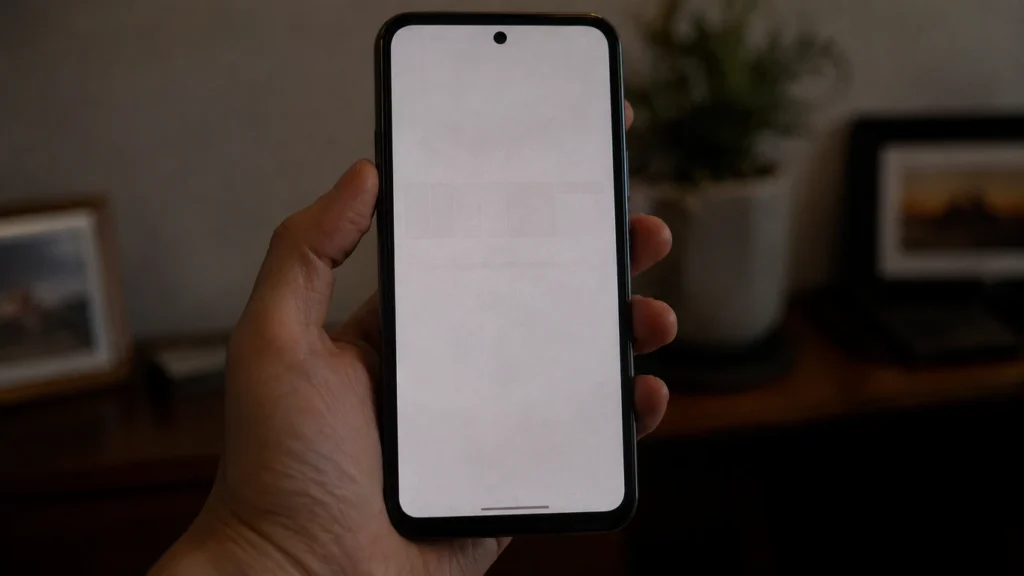
Open your Photos app, pick any picture, and pinch-zoom into a plain sky, wall, or ceiling until the frame is filled with one flat, light color. Then set brightness to maximum and look at the panel from a straight-on angle in a dim room.
If you see a faint gray outline of your navigation bar, status bar icons, or a frequently used app’s layout sitting underneath that flat color, note exactly where it appears. Now lock the phone, wait 15 minutes, and repeat the test. If the shadow is gone or noticeably fainter, that’s image retention, not burn-in, and it will resolve fully within a few hours of normal use. If the shadow looks identical after the wait, you’re looking at true OLED burn-in, and no software update or app is going to remove it.
This distinction matters because the two problems get treated the same way in most online forums, and treating temporary retention like permanent burn-in leads people to pay for a screen replacement they didn’t need.
Burn-In vs. Image Retention vs. Screen Protector Ghosting
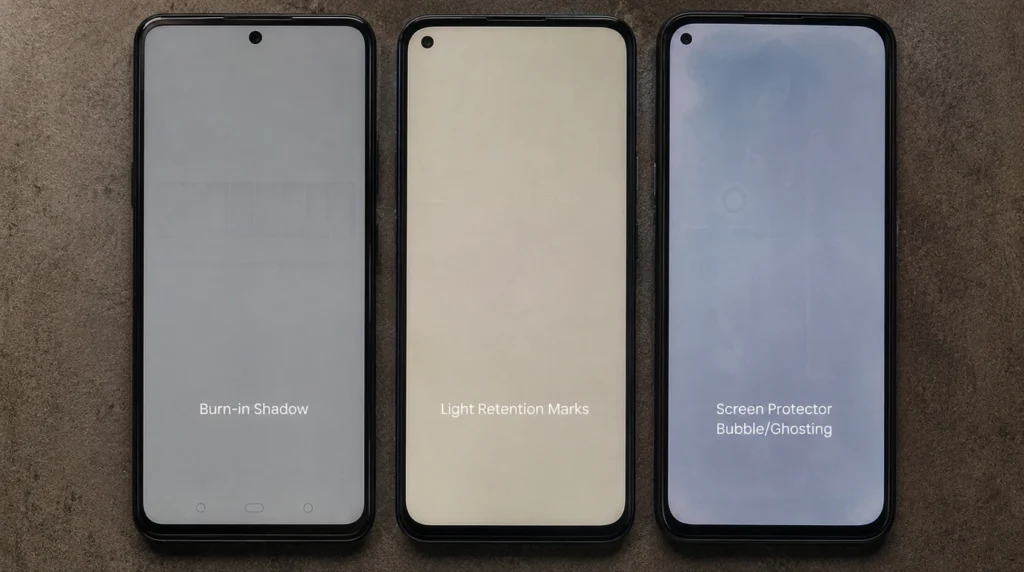
These three look almost identical to the untrained eye, but they behave differently and need different responses.
| Symptom | What Causes It | Does It Go Away? | Typical Timeline |
| True burn-in | Uneven OLED subpixel wear from a static element shown for hundreds of hours | No permanent | Builds up over 8+ months of heavy use |
| Image retention | Temporary charge buildup in OLED subpixels after one long static session | Yes on its own | Clears in 15 minutes to a few hours |
| Screen protector ghosting | Adhesive residue or air bubbles under a tempered glass layer | Yes with cleaning or replacement | Instant once the protector is removed |
I see screen protector ghosting misdiagnosed as burn-in constantly. Peel the protector off, clean the glass with a microfiber cloth, and re-run the 60-second test before you assume the panel itself is damaged.
Why Pixel OLED Screens Burn In
Every Pixel since the original Pixel 2 XL uses an OLED or POLED panel, and OLED pixels lose brightness individually based on how long and how brightly they’ve been lit. Google’s own engineering team acknowledged this directly back when the Pixel 2 XL shipped with visible burn-in around its on-screen navigation buttons within the first week of review units being used.
On a modern Pixel, the same physics still apply, just with better mitigation built in. The navigation bar, the status bar clock, and the always-on display clock are the three elements that sit in the exact same pixel position for the most hours over a phone’s life, so they age the surrounding pixels faster than the rest of the panel. Pixel 9 and Pixel 10 series phones use LTPO OLED panels that vary their refresh rate to save power, but LTPO changes power draw, not which pixels are static; a fixed nav bar still ages the same way it did in 2017.
Two other causes show up less often but matter: leaving the screen at maximum brightness in direct sunlight for extended stretches accelerates subpixel wear across the board, and a cracked or pressure-damaged panel can develop uneven discoloration that looks like burn-in but is actually physical damage to the display layer underneath the glass.
Can Software Actually Reduce Burn-In on a Pixel?
Software cannot repair pixels that have already worn unevenly, but it can slow down how fast new burn-in forms. These are the settings worth changing right now, not vague advice to go to each menu exactly as listed.
- Turn on the Dark theme. Settings > Display > Dark theme. Black backgrounds mean fewer OLED subpixels are lit at all, which is the single biggest lever you have.
- Set gesture navigation instead of the 3-button nav bar. Settings > System > Gestures > System navigation > Gesture navigation. This removes the three static icons that are usually the first thing to burn in.
- Lower Always-on display timeout or turn it off. Settings > Display > Lock screen > Always Show Time and Info. If you use AOD constantly, switch “Tap to check phone” mode instead of a permanently lit clock.
- Cap adaptive brightness peaks. Settings > Display > Brightness level. Pixels running at 100% brightness outdoors for hours are noticeably faster than phones kept in adaptive mode.
- Reduce screen timeout to 30 seconds. Settings > Display > Screen timeout. Less idle-lit time on a static home screen adds up over a year of ownership.
None of these steps remove existing burn-in. They only extend how long the panel takes to develop new burn-in from this point forward.
Fixes People Try That Don’t Work
A few “fixes” circulate constantly and none of them hold up on a real Pixel panel.
- White screen “pixel refresher” apps were built for old plasma TVs and do nothing measurable on OLED subpixels; several Reddit threads report zero change after days of running one.
- Factory reset burn-in is a hardware wear pattern, not a software fault, so wiping the phone has no effect on it.
- Inverting colors or using a burn-in “fixer” wallpaper can make retention less visible temporarily on a fresh charge cycle, but it does not reverse wear that’s already there.
- Leaving the phone off for a few days is a common suggestion in community threads, but OLED subpixels don’t “rest and recover” from true burn-in the way people hope; this only helps with ordinary image retention.
What a Pixel Screen Replacement Actually Costs in 2026
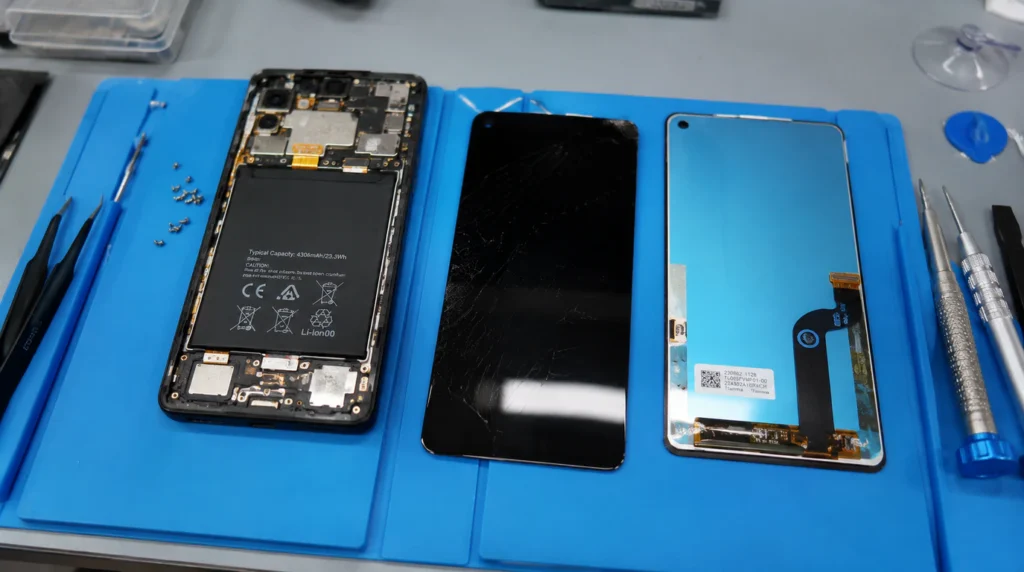
Once burn-in is confirmed and it bothers you enough to want it gone, replacement is the only real fix. Costs vary a lot depending on the route you take.
| Repair Route | Typical Cost | Notes |
| DIY genuine part (Pixel 9) | $146.99–$166.99 (US) / £124.99–£203.99 (UK, model-dependent) | iFixit sells Google-supplied genuine screens with fingerprint reader included |
| DIY genuine part (Pixel 9 Pro) | $336.99 (US) / £203.99 (UK) | Pro panels cost more due to LTPO and curved-edge assembly |
| Third-party repair shop | $180–$260 | Based on current uBreakiFix by Asurion listed pricing for recent Pixel models |
| Google Pixel Care+ | $0 deductible per repair | Launched by Google in early 2026, replacing Preferred Care; covers screen and battery repairs with genuine parts and no service fee |
| Standard 1-year warranty | Not applicable | Burn-in from normal use is treated as wear, not a manufacturing defect, so it’s excluded |
If your Pixel is still inside its first year and you’re on Google’s Preferred Care or Pixel Care+ program, a screen swap is now effectively free under the current plan. Outside that coverage, DIY with a genuine part is the cheapest route if you’re comfortable opening the phone yourself, and a third-party shop is the middle ground if you want someone else to do it without paying full retail.
Is Burn-In Covered Under Google’s Warranty?
Google’s standard limited warranty runs one year from purchase and covers manufacturing defects, not gradual wear from normal use and burn-in is classified as wear. This is the same logic every major OLED phone maker uses, not something unique to Pixel. Where it gets better is Pixel Care+, the protection plan Google rolled out in 2026 that folded the old Preferred Care and Fi Device Protection plans into one program with unlimited claims and zero-deductible screen repairs. If you added Pixel Care+ or the older Preferred Care plan when you bought the phone, burn-in that’s bad enough to need a swap generally qualifies as a covered repair, since the plan treats screen issues as covered hardware service rather than a warranty defect claim.
If your Pixel is out of any protection plan, don’t expect Google Support to approve a free replacement for burn-in specifically. I’ve seen customers push this through chat support and get told, correctly, that it’s excluded as expected wear.
How to Stop It From Happening on Your Next Pixel
If you’re buying a new Pixel or just got one, set gesture navigation and dark theme on day one instead of after burn-in shows up. Avoid running the same launcher wallpaper with a static clock widget in one fixed spot for months at a time rotating between two or three home screen layouts spreads the wear more evenly across the panel. And if you use your Pixel mounted in a car dock or on a desk stand for navigation or video calls at high brightness for hours daily, that single use case is the fastest path to visible burn-in I’ve seen across every Pixel generation I’ve repaired.
This same wear pattern shows up on other OLED and LCD panels too if you’re also dealing with a static mark on a laptop display, our green dots on laptop screens guide covers the panel-wear side of that issue in more detail. And if a Pixel with burn-in has also started throwing off colored lines rather than just a shadow, that’s usually a separate connector fault. Our red lines on PC screen pieces break down that failure pattern, even though it’s written for monitors rather than phones.
FAQ
Why does my Pixel screen have a shadow that won’t go away?
A shadow that persists after 15 minutes of normal use and shows the outline of your nav bar or status bar is OLED burn-in, caused by uneven subpixel wear from that element sitting in the same spot for hundreds of hours.
Can Pixel screen burn-in fix itself over time?
No. True burn-in does not reverse on its own; only temporary image retention clears up by itself, usually within a few hours.
Does dark mode really prevent burn-in on a Pixel?
Yes, meaningfully. Dark theme keeps far more OLED subpixels off entirely during normal use, which is the single most effective free step for slowing new burn-in.
Is it worth replacing a Pixel screen for burn-in, or should I just sell the phone?
If you’re on Pixel Care+ or Preferred Care, replacing it is close to free and worth doing. Outside coverage, weigh the $180–$260 repair cost against current trade-in value for your specific model before deciding.
Will a screen protector prevent burn-in?
No. A screen protector only protects the glass from scratches and impact; it has no effect on the OLED subpixels underneath, which is where burn-in actually happens.
Expert Verdict
Most “Pixel screen burn-in” reports I get sent for a second opinion turn out to be image retention or leftover screen protector residue, not permanent panel damage. Run the 60-second test before you spend a dollar on repair. If the shadow survives that test, the phone genuinely has worn OLED pixels, and at that point a genuine replacement panel is the only fix that actually works. I don’t recommend any of the software “burn-in fixer” tools that get passed around online. That’s the honest verdict from screendotfix.com after working through this exact complaint on more Pixel units than I can count.
Author Note
I’m James, founder of screendotfix.com. I’ve spent years doing hands-on OLED and LCD panel diagnostics on phones, laptops, and monitors, and Pixel burn-in specifically has been a recurring repair ticket since the Pixel 2 XL first made headlines for it back in 2017. If your test results don’t match anything in this guide, feel free to describe exactly what you’re seeing in the comments and I’ll help you figure out which category it falls into.