
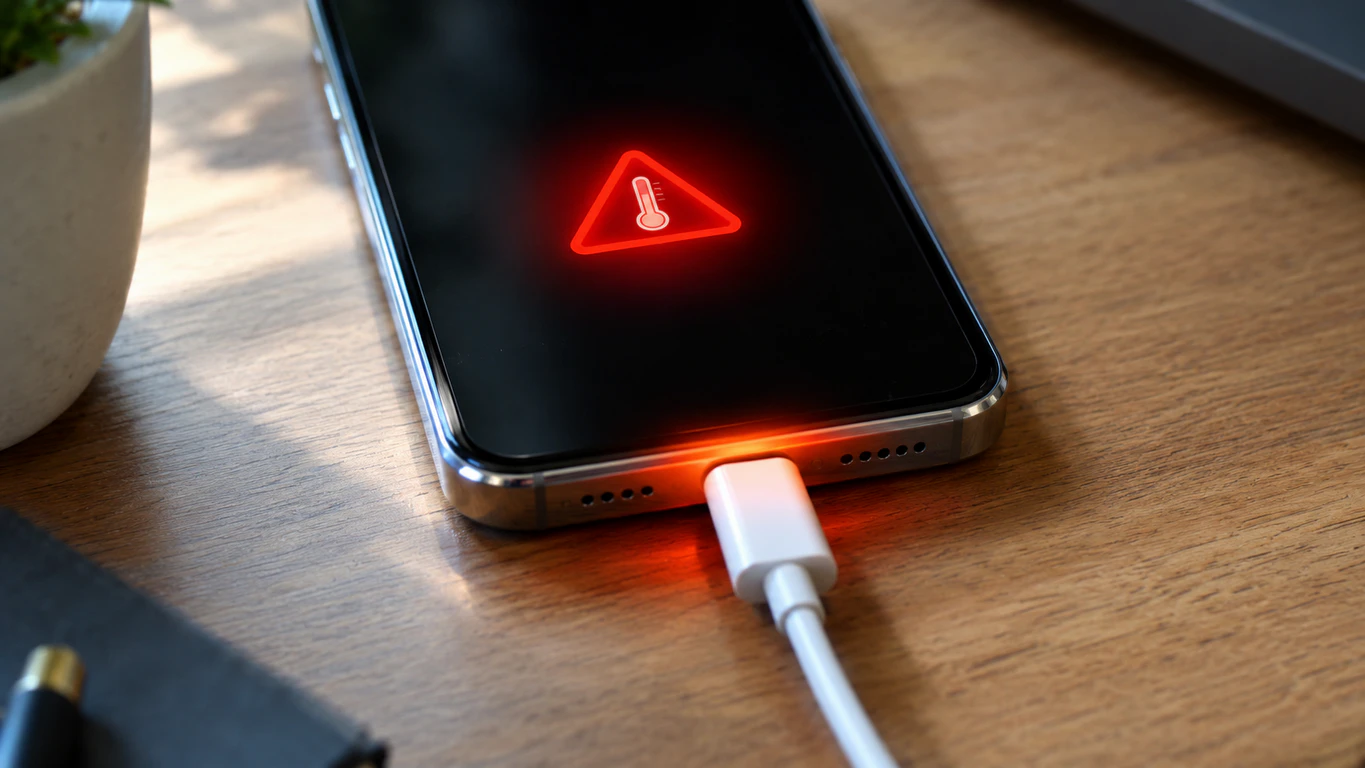
Screen overheating while charging usually comes from an aging battery, background CPU load, or a mismatched charger, and most cases cool down within 15 minutes. A screen that stays hot past 30 minutes or shows a red thermometer warning means the battery or charging port needs a technician.
Two Phones, Same Charger, Two Different Outcomes
Last month I had two iPhone 13s on the bench, plugged into identical 20W chargers, both screen-up under the same shop lighting. One reached 89°F after fifteen minutes and stayed there. The other hit 104°F, the display dimmed on its own, and the lock screen showed “Charging Not Available” with a red thermometer icon ten minutes later.
Same charger, same room, same model. The difference was the battery 71% health on the hot one, a six-week-old replacement on the cool one. That’s the whole diagnosis in miniature: screen overheating during charging is rarely about the screen. The display just shows you what the battery or logic board underneath it is doing.
Why Does a Screen Get Hot While Charging?
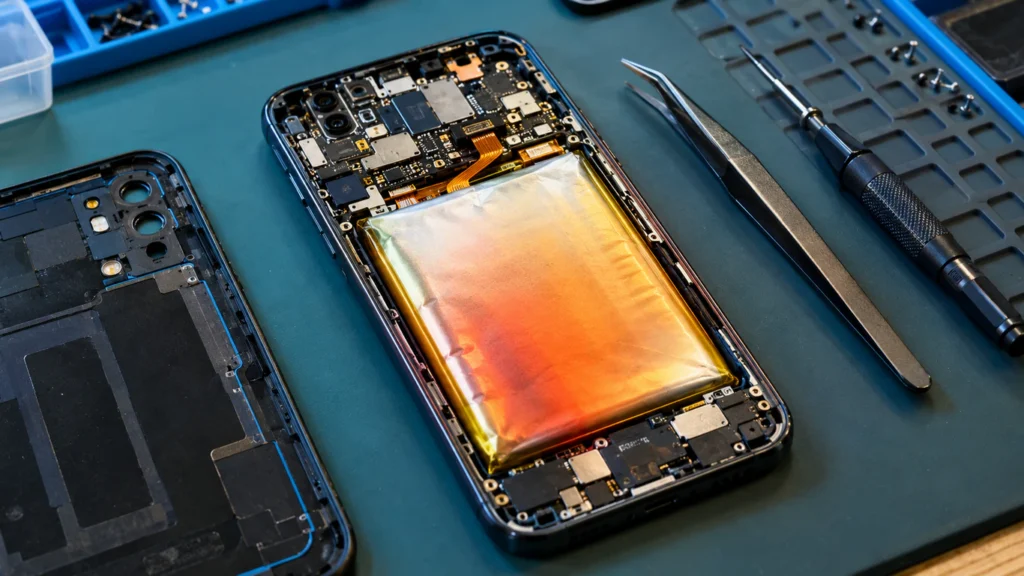
A Degraded Battery Is Generating Resistance Heat
Lithium-ion batteries develop internal resistance as they age, turning electrical current into heat during charging. A battery at 80% health or below runs measurably hotter under the same load, and that heat radiates straight through to the display a few millimeters away.
The Processor Is Working While the Battery Is Also Working
Charging alone raises internal temperature only a few degrees. Charging while streaming, gaming, or backing up photos stacks CPU heat on top of it, and the display sitting right above the logic board on most phones absorbs both at once.
The Charger or Cable Is Mismatched to the Device
A charger delivering more wattage than the charging chip regulates cleanly causes voltage fluctuation that shows up as heat more common with uncertified USB-C cables than obvious counterfeits. A damaged or under-gauge cable inside a normal-looking connector produces the same pattern, so swap the cable alone before blaming the brick.
A Case or Charging Surface Is Trapping Heat
Charging screen-down on a bed or couch blocks the airflow a back panel needs, and a thick case does the same. On a laptop, charging on a blanket blocks the intake vents, backing heat up into the hinge near the display cable.
A Software Bug Is Spiking Background Activity
Apple has acknowledged that any device can run warmer and drain faster for 24–48 hours after a major iOS update, while the system re-indexes data and finishes setup tasks; this applies broadly, not to one model. A demanding app running while the phone charges competes for the same power budget, which alone can trigger a warning, and a stuck background process after a failed update does the same even when you’re not touching the phone.
A Charging Port Sensor Is Misreading Temperature
Every iPhone has thermistors, small temperature sensors near the charge port, battery, and camera module, and a false-high reading triggers a real warning even when the phone isn’t hot. Technicians isolate this by disconnecting the charge port cable from the logic board; if the warning disappears, it was the sensor, not genuine heat, a hardware fault a restart won’t fix.
Is It Dangerous, or Can It Fix Itself?
A screen that feels warm during charging and cools within 15–20 minutes of unplugging is normal, not damage. Apple’s guidance on device temperature confirms charging slows or stops automatically past a threshold, resuming once the device cools.
It stops being self-correcting when the phone stays hot 30+ minutes after unplugging, the back or screen bulges at the edges, or the warning reappears within minutes of every restart all three point to battery swelling or a hardware fault, and charging a swelling battery is a real fire risk.
How to Check If Your Screen Is Overheating
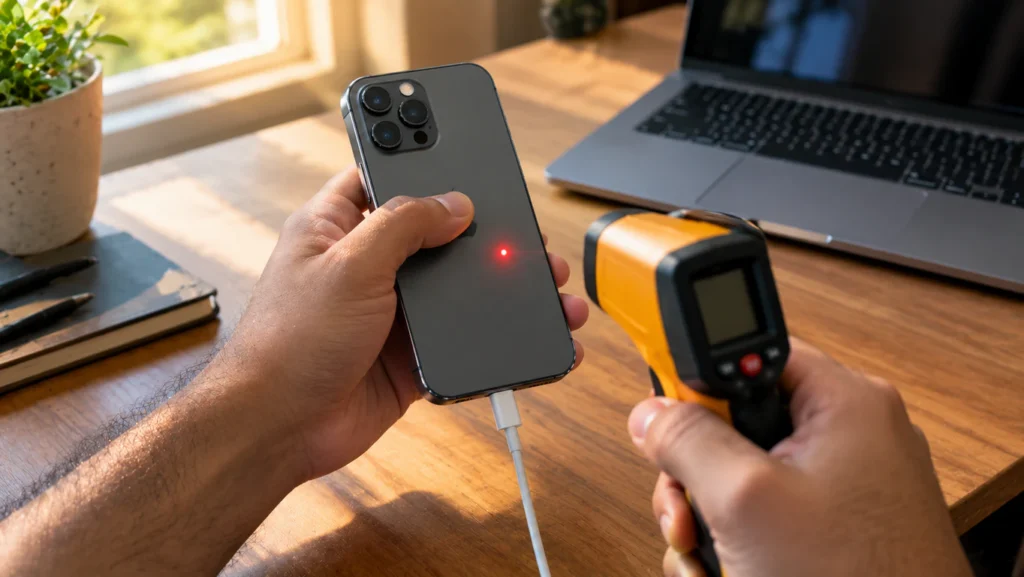
- Unplug the device and remove any case. Resolves a surprising number of cases within two minutes.
- Check battery health. iPhone: Settings > Battery > Battery Health & Charging. Android hides this by default a free app like AccuBattery estimates wear and flags abnormal charging temperature.
- Feel the phone in three spots: top, middle, near the port. Heat near the port suggests charger/port; even heat across the back suggests the battery.
- Charge again on a hard surface, no case, no apps running. Cooler this time means load was the cause, not hardware.
- Swap the cable and charger for a certified set, ideally the original. A noticeable drop confirms the charger.
- Check Settings > General > Software Update. Thermal bugs tied to a specific firmware version are often patched within weeks of being reported.
Fixes That Actually Work, and What Each One Costs
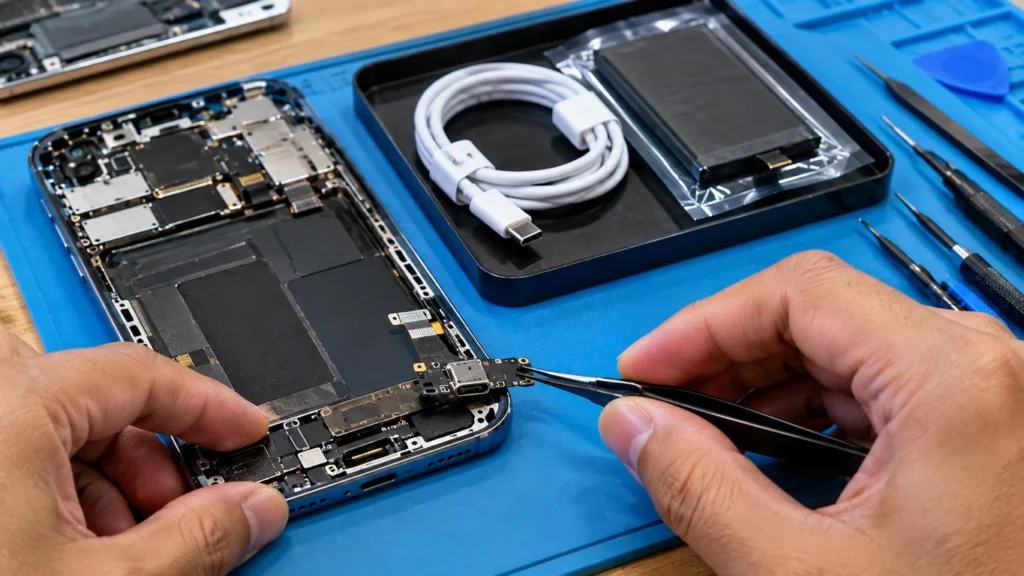
- Restart and clear background apps free, two minutes, fixes most software spikes.
- Replace the cable and adapter with a certified set $15–$35, eliminates charger-related heat.
- Update iOS or Android free, closes known background-activity bugs.
- Replace the battery $69–$99 (Apple), $50–$90 (independent shop) for health under 80%.
- Replace the charging port assembly $79–$150 independent, sometimes toward $399 through Apple’s “other damage” tier.
- Replace the display assembly only once heat has caused visible damage, like green dots on screen. $129–$329 phone, $180–$450 laptop panel.
Fix Summary Table
| Cause | Fix | Typical Cost | Time |
| Background apps during charge | Close apps, restart | Free | 2 min |
| Firmware bug | Update iOS/Android | Free | 10–20 min |
| Damaged or uncertified cable/charger | Replace with certified set | $15–$35 | 5 min |
| Degraded battery (under 80% health) | Battery replacement | $69–$99 | 30–60 min |
| Faulty charge port sensor | Port assembly replacement | $79–$150 | 1–2 hrs |
| Heat-damaged display panel | Screen replacement | $129–$329 | 1–2 hrs |
Common Mistakes and Prevention, in Brief
- Don’t keep gaming or streaming once a warning appears it delays cooling and can trigger a harder shutdown.
- Don’t fridge or freeze a hot phone; it causes internal condensation, worse than the heat itself.
- Charge on a hard, open surface with the case off for sessions over 30 minutes; don’t assume a cheap cable matches the original.
- Don’t ignore a repeating warning on a fresh charger with no apps running swap the battery early. Faint red lines on the screen after weeks of running hot is early heat damage, not coincidence.
Is Repair Worth It, or Should You Replace the Device?
A $69–$99 battery swap is worth it on any phone under four years old, the cheapest fix for the most common cause. A $150-plus port replacement on an older phone usually isn’t, since a used replacement costs about the same without the wear. On laptops, compare any repair above $300 against the used-market price first.
Frequently Asked Questions
Why does my phone screen get hot only when charging and using an app at the same time?
Charging and active apps both generate heat independently, and running them together stacks that heat near the battery expected as long as the phone cools within 15–20 minutes of stopping one activity.
Can a cheap charger actually damage my screen?
A mismatched charger can cause voltage fluctuation that generates excess heat near the charge port, and sustained heat can affect the nearby display driver chip though this usually takes months of exposure, not one session.
Why does my laptop screen feel hot near the hinge while plugged in?
The hinge routes the display cable and often sits above the charging circuitry, so heat there means those components are working harder than normal. Watch for purple lines on screen or flickering near that edge GPU-adjacent heat damage shows up there first.
Is it normal for wireless charging to make the screen hotter than a cable?
Yes. Wireless charging is less energy-efficient, and the lost energy releases as heat under the back panel phones on wireless chargers typically run 5–10°F warmer than the same phone on a cable at the same speed.
Expert Verdict
Most screen overheating during charging traces back to an aging battery or too much CPU load stacked on a normal charge cycle, both fixable without replacing the device. The battery-health check in step 2 resolves or explains the cause more often than any other test across screendotfix.com’s repair intakes.
Editor Note
This guide was checked against Apple’s published temperature documentation and iFixit’s thermistor notes before publishing, and repair costs reflect current independent-shop and Apple pricing, not reused figures. Treat the ranges above as a starting point for a quote, since the exact model and region shift them.
Author Note
I’m James, founder of screendotfix.com. I’ve spent more than ten years diagnosing display and charging faults across iPhone, Samsung, and laptop hardware, and heat-related reports are among the most common submissions through the site’s “Report Your Issue” button. Free fixes come first, always.
Closing
A hot screen during charging is telling you exactly where the load is coming from, and most cases end with a two-minute restart or a $69 battery, not a shop visit. Run the six diagnostic steps above and you’ll know within twenty minutes whether it’s software, a charger, or a battery due for replacement and if the warning keeps returning on a fresh charger with no apps running, that’s the one pattern here that consistently means hardware.